# Rest API

<figure><img src="https://files.gitbook.com/v0/b/gitbook-x-prod.appspot.com/o/spaces%2FhElFPtMZjXYjDDMBT5q2%2Fuploads%2FGuG2RHfO5VggKx14SMaR%2FAccessing%20REST%20API%20option%20in%20the%20Integrations%20module.png?alt=media&#x26;token=c6d16778-9f32-41ad-aabb-6445eaabffb6" alt=""><figcaption></figcaption></figure>

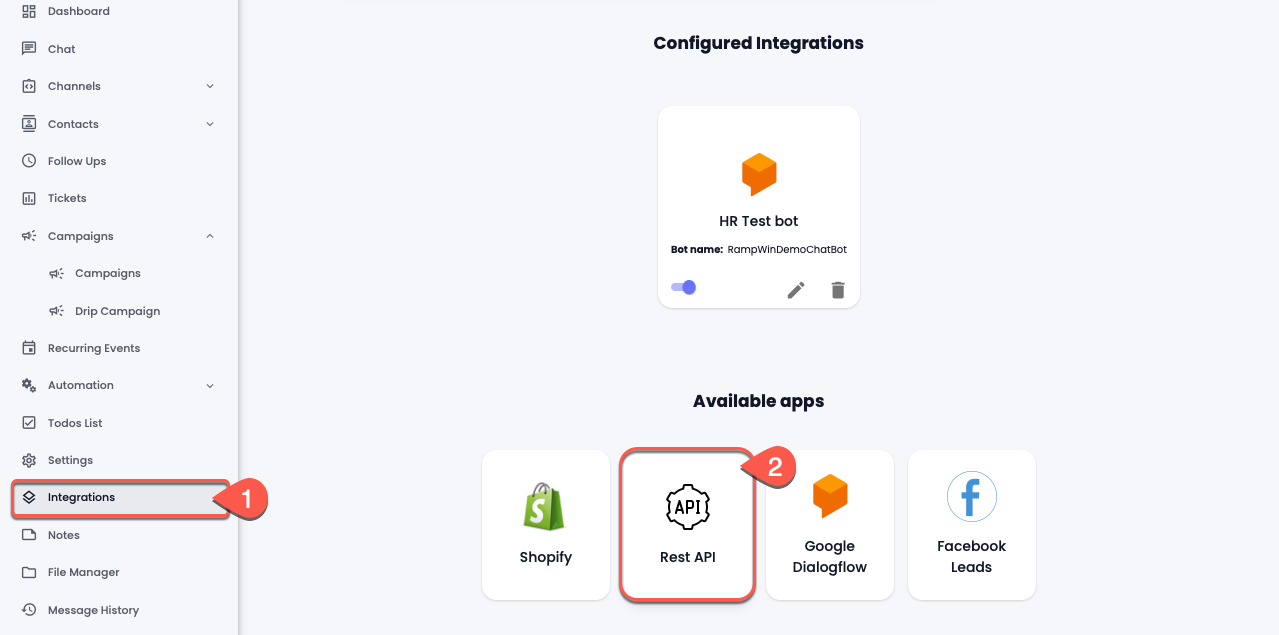
To integrate 3rd party platforms in Rampwin, head over to the Integrations in the sidebar and then select **Rest API**.

<figure><img src="https://files.gitbook.com/v0/b/gitbook-x-prod.appspot.com/o/spaces%2FhElFPtMZjXYjDDMBT5q2%2Fuploads%2Fv2kBZ86zFfPT4CCEkDuc%2FRestAPI%20Integration%20Modal.png?alt=media&#x26;token=a90d4ab2-9607-430a-b2a2-4d8b5a1a7c59" alt=""><figcaption></figcaption></figure>

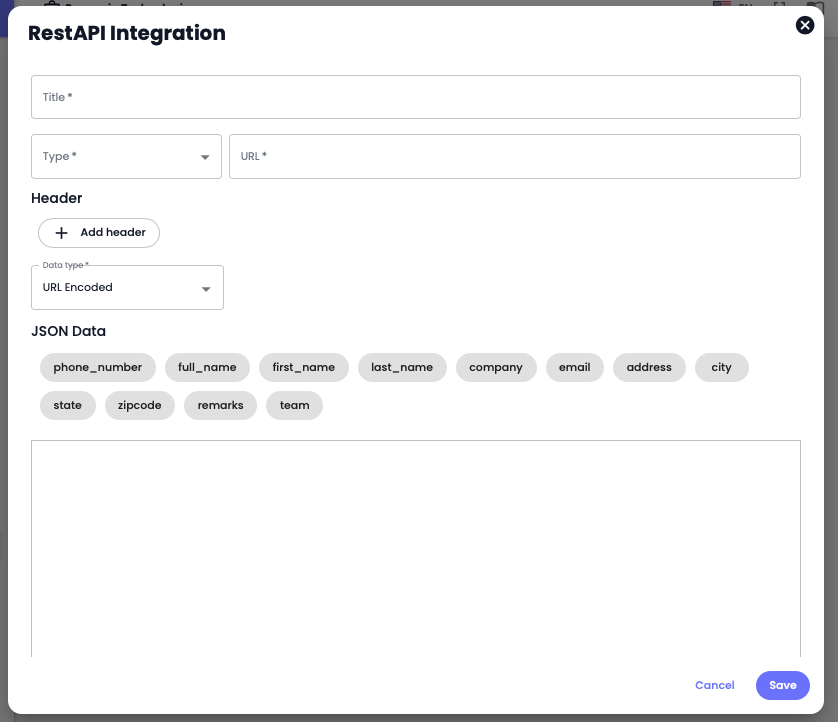
The *RestAPI Integration* modal will open, in that, according to your requirements and the platform's compatibility, add the REST API details. For instance,

* Type for URL as POST, GET, PUT and DELETE.
* Input Header Key(s) and Value(s).
* Select Data Type as URL Encoded, JSON or FORM.
* Then, add the JSON Data using the parameter fields and once done, click **Save**.
---

# Agent Instructions: Querying This Documentation

If you need additional information that is not directly available in this page, you can query the documentation dynamically by asking a question.

Perform an HTTP GET request on the current page URL with the `ask` query parameter:

```
GET https://docs.rampwin.com/english/rest-api.md?ask=<question>
```

The question should be specific, self-contained, and written in natural language.
The response will contain a direct answer to the question and relevant excerpts and sources from the documentation.

Use this mechanism when the answer is not explicitly present in the current page, you need clarification or additional context, or you want to retrieve related documentation sections.
