# Chat

### Overview

The Chat module at Rampwin allows viewing user/customer messages sent or received on different chat platforms. Plus, it enables you to communicate with your customers on different channels and provide top-notch customer service without opening too many platforms or inboxes.

Through Chat, you can respond to queries coming from [WhatsApp](https://docs.rampwin.com/english/broken-reference), [Facebook](https://docs.rampwin.com/english/broken-reference), [Instagram](https://docs.rampwin.com/english/broken-reference), [Telegram](https://docs.rampwin.com/english/broken-reference), and [WeChat](https://docs.rampwin.com/english/broken-reference).

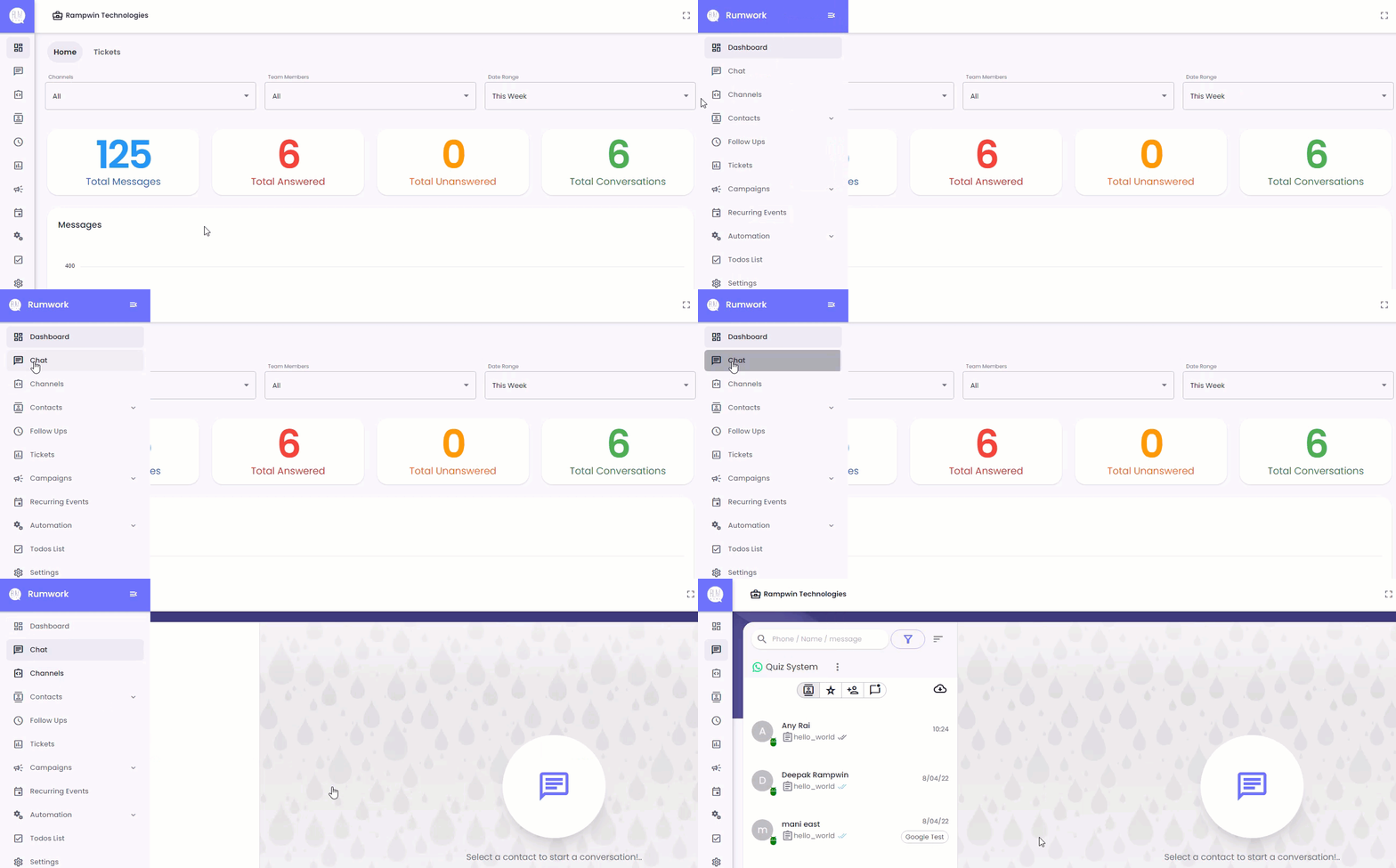
Although upon login to Rampwin, by default, you'll be on the Chat module interface. But still, to access the Chat module, click the Chat option in the sidebar.

<figure><img src="https://files.gitbook.com/v0/b/gitbook-x-prod.appspot.com/o/spaces%2FhElFPtMZjXYjDDMBT5q2%2Fuploads%2Fb78vQue9G9n476BwLtgt%2FAccessign%20Chat%20Module%20of%20RUM%20Work.gif?alt=media&#x26;token=aae627b1-b4c2-49b1-a9ec-d1417186e300" alt=""><figcaption><p>Accessing Chat Module</p></figcaption></figure>

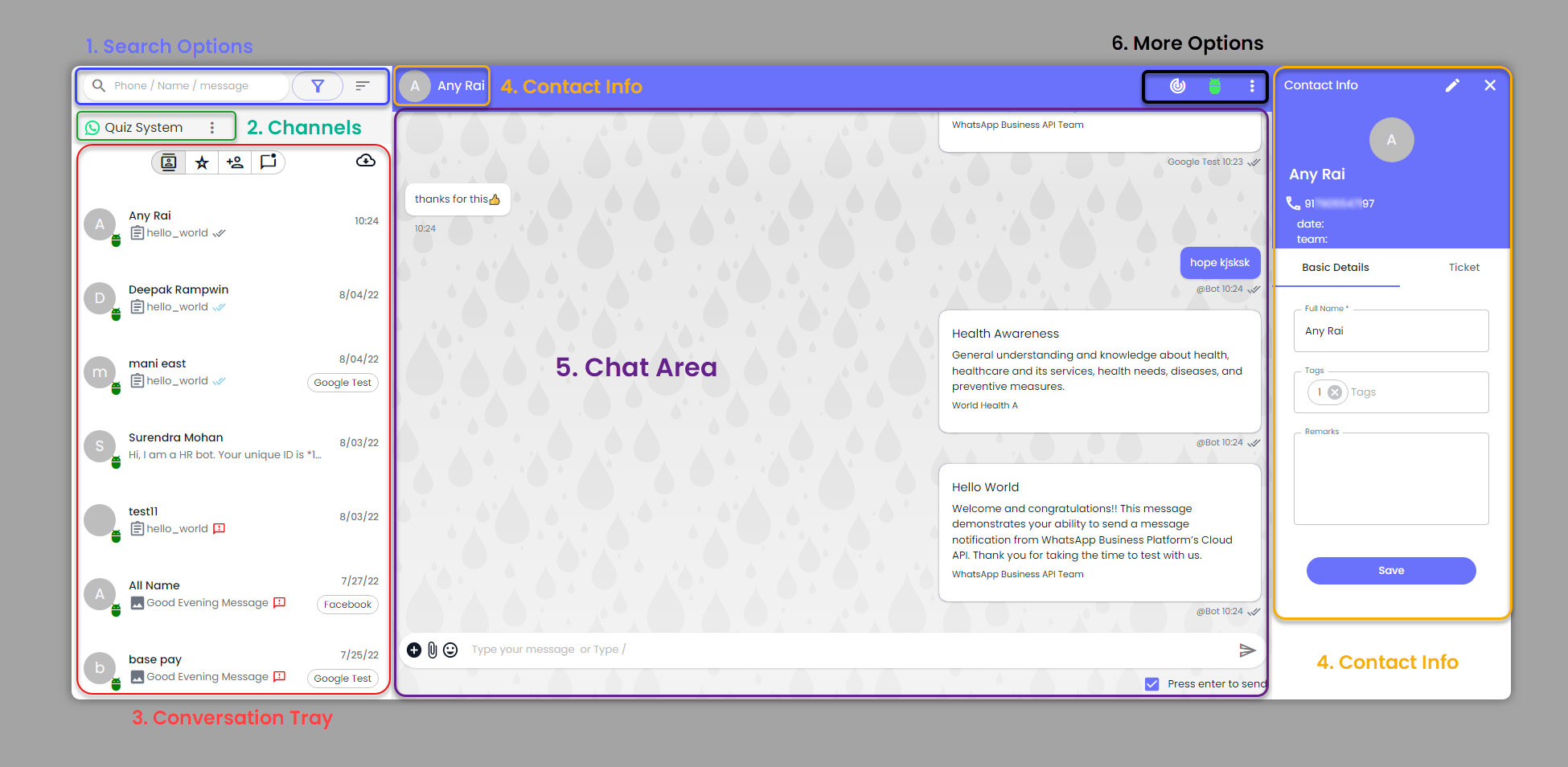
The Chat module has different sections that allow you to efficiently manage and perform several actions on conversations.

<figure><img src="https://files.gitbook.com/v0/b/gitbook-x-prod.appspot.com/o/spaces%2FhElFPtMZjXYjDDMBT5q2%2Fuploads%2Fqgj9AT9bTCFKbUXIv81Y%2FSections%20of%20RUM%20Work%20Chat%20Module.png?alt=media&#x26;token=eb05d49e-4171-4ca7-a008-b8f69e00ded9" alt=""><figcaption><p>Rampwin Chat Window</p></figcaption></figure>

### Search Options

<figure><img src="https://files.gitbook.com/v0/b/gitbook-x-prod.appspot.com/o/spaces%2FhElFPtMZjXYjDDMBT5q2%2Fuploads%2FGjSHRotMMePJ0mdbaxv1%2FChat%20Search%20Options.png?alt=media&#x26;token=78141a5c-e96b-42a2-b241-78d75fd713f2" alt=""><figcaption><p>Chat Search Options</p></figcaption></figure>

Using this particular option in the Chat module, you can search, filter, and sort conversations.

### Channel Selector

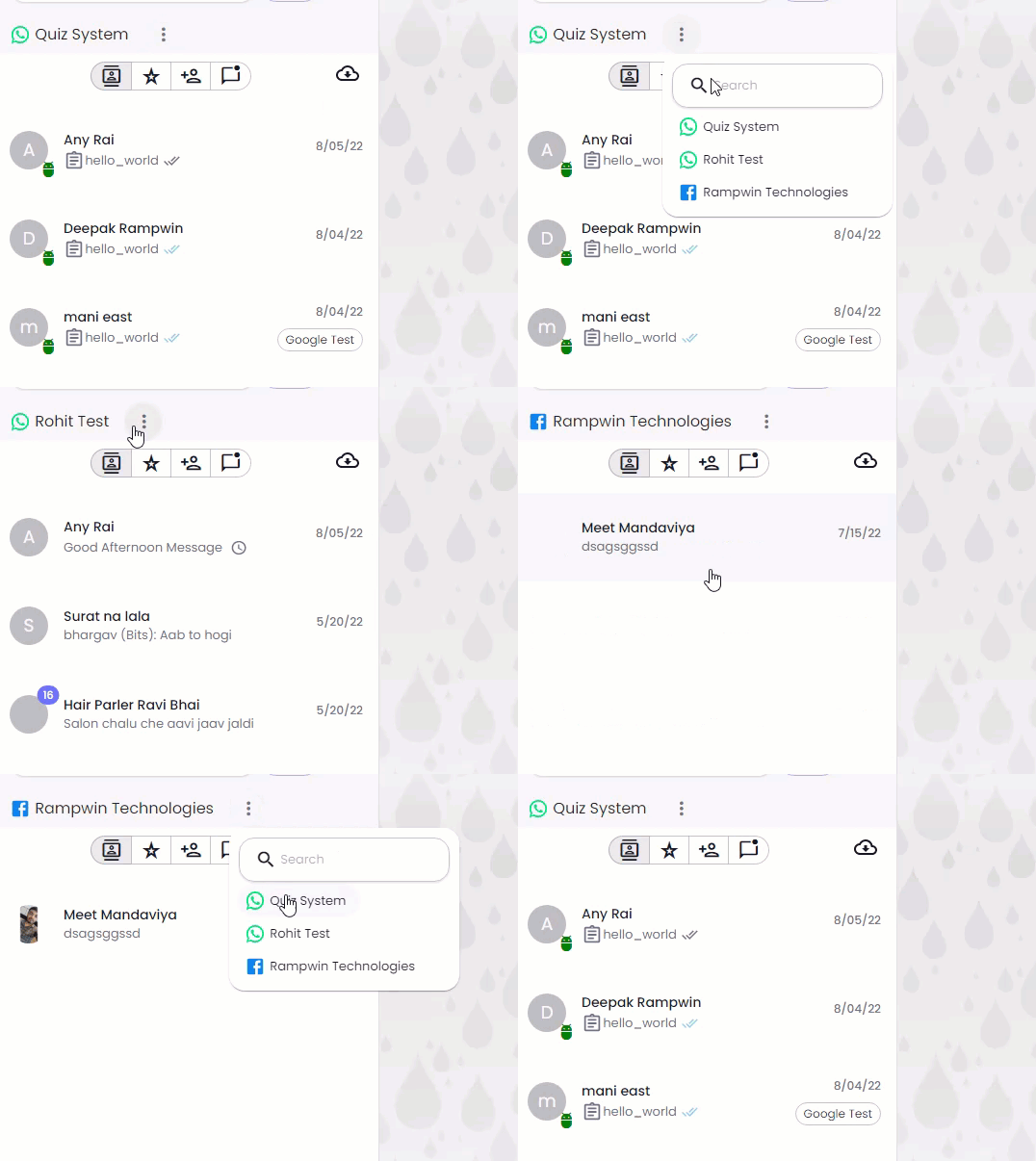
<figure><img src="https://files.gitbook.com/v0/b/gitbook-x-prod.appspot.com/o/spaces%2FhElFPtMZjXYjDDMBT5q2%2Fuploads%2FBBYoX0P7ogrn7arLZe2X%2FChanging%20Channels%20in%20Chat.gif?alt=media&#x26;token=50c509ec-5a63-46fd-b95d-2d177f12adac" alt=""><figcaption><p>Chat Channel Selector</p></figcaption></figure>

Switch between Rampwin channels to view conversations and communicate with users messaging from different chat platforms.

### Conversation Tray

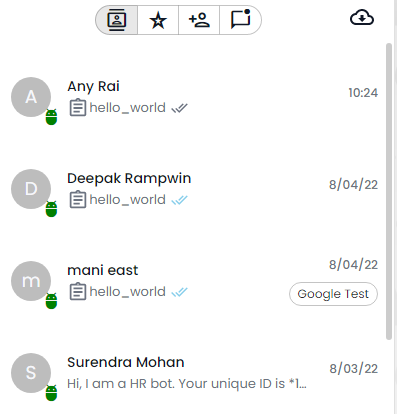
<figure><img src="https://files.gitbook.com/v0/b/gitbook-x-prod.appspot.com/o/spaces%2FhElFPtMZjXYjDDMBT5q2%2Fuploads%2Fbz1gwFBsw5JdTlYsj7ci%2FConversation%20Tray.png?alt=media&#x26;token=9d2b7fb5-7778-4484-97fc-5a3fb4856aa5" alt=""><figcaption></figcaption></figure>

Select conversations to communicate with users.

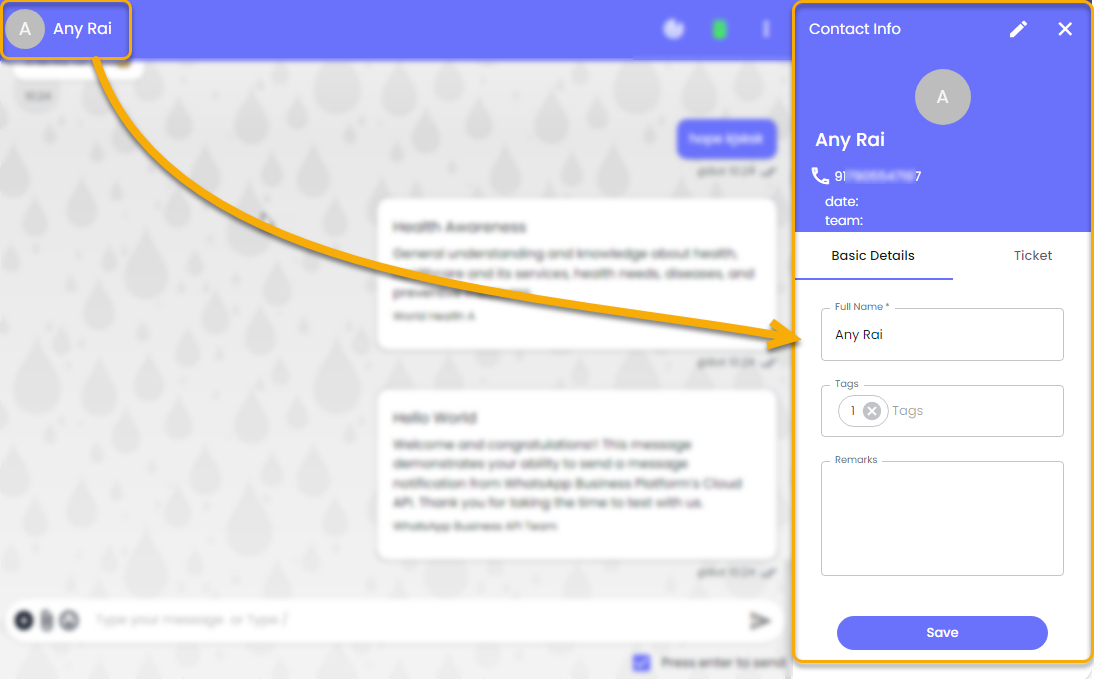
### Contact Info

<figure><img src="https://files.gitbook.com/v0/b/gitbook-x-prod.appspot.com/o/spaces%2FhElFPtMZjXYjDDMBT5q2%2Fuploads%2FRmnEA3j91j6ue0HQxXv0%2FChat%20Contact%20Info%20Panel.png?alt=media&#x26;token=8c881b68-5f7d-4a3c-b071-4386cd54ef26" alt=""><figcaption><p>Contact Info In Chat</p></figcaption></figure>

Edit contact information; create ticket and more.

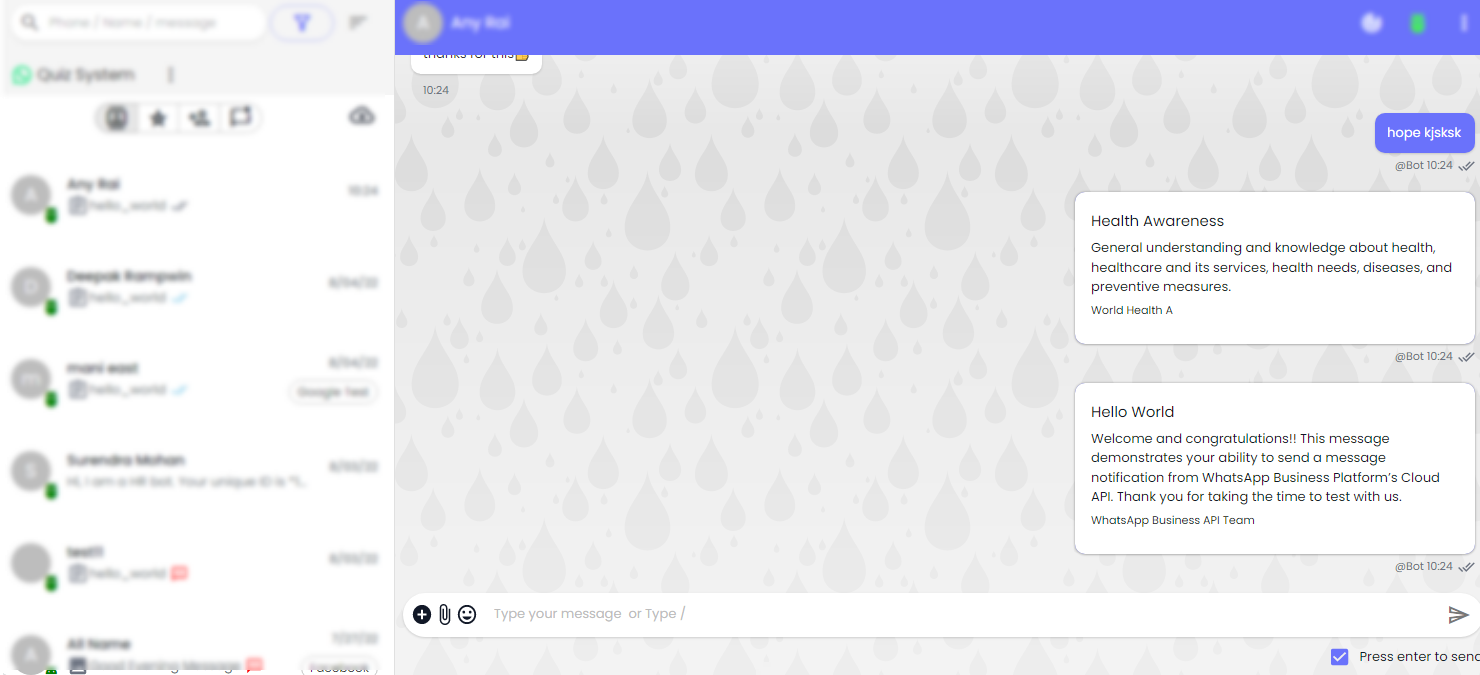
### Chat Area

<figure><img src="https://files.gitbook.com/v0/b/gitbook-x-prod.appspot.com/o/spaces%2FhElFPtMZjXYjDDMBT5q2%2Fuploads%2FU1MvEYPmrwFcdJo5RmQt%2FRUM%20Work%20Chat%20Area.png?alt=media&#x26;token=f3007f74-d535-456e-b0a2-b2a75405c6e7" alt=""><figcaption><p>Rampwin Chat Area</p></figcaption></figure>

Simply communicate with users using different message types and more.

### Chat More Options

<figure><img src="https://files.gitbook.com/v0/b/gitbook-x-prod.appspot.com/o/spaces%2FhElFPtMZjXYjDDMBT5q2%2Fuploads%2Fm1zU0PvtjXHrjxqssAEI%2FChat%20More%20Options.png?alt=media&#x26;token=6c4dc6ea-0f2d-4067-a04a-289416337ec9" alt=""><figcaption></figcaption></figure>

Change conversation Open status, read status, assign bot, pin chat, and more.