# Message Templates

Different customers often reach out with the same queries, and answering them repeatedly could become overwhelming. Therefore, create Message Templates, and when customers reach out, simply use them.

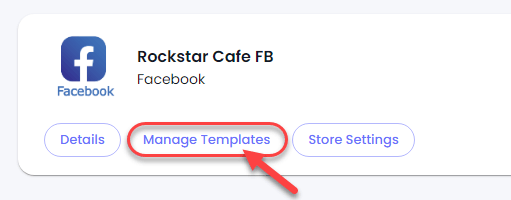
To create your message templates, click on **Manage Templates**.

<figure><img src="https://files.gitbook.com/v0/b/gitbook-x-prod.appspot.com/o/spaces%2FhElFPtMZjXYjDDMBT5q2%2Fuploads%2FYqjVe1jMXcc1DXS3fBti%2FOpening%20Manage%20Templates%20of%20the%20Facebook%20Channel.png?alt=media&#x26;token=c9c6c954-5c51-46d7-898b-934494ebbc68" alt=""><figcaption></figcaption></figure>

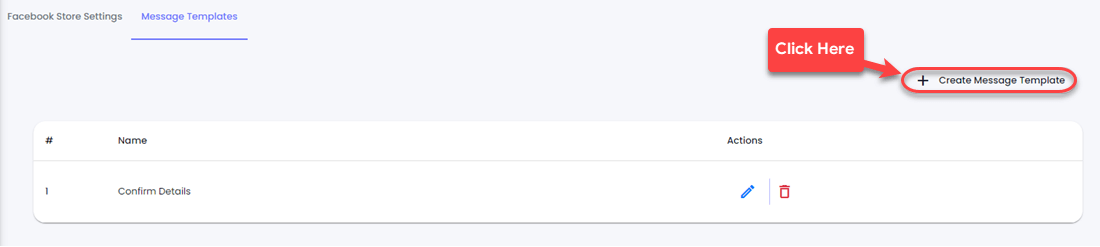
A new window will appear with a **Create Message Template** button.

<figure><img src="https://files.gitbook.com/v0/b/gitbook-x-prod.appspot.com/o/spaces%2FhElFPtMZjXYjDDMBT5q2%2Fuploads%2F6624Ym7ZT5WYxf1RDfnA%2FCreating%20a%20Message%20Template%20in%20Facebook.png?alt=media&#x26;token=83c96cf4-71b2-419d-b414-8eb0027c61ab" alt=""><figcaption></figcaption></figure>

Simply click on it and it will bring a popup to create the template.&#x20;

<figure><img src="https://files.gitbook.com/v0/b/gitbook-x-prod.appspot.com/o/spaces%2FhElFPtMZjXYjDDMBT5q2%2Fuploads%2FL89cM5FP3vAKEb758LMv%2FCreate%20Message%20Templates%20Popup%20in%20Facebook%20Channel.png?alt=media&#x26;token=f5e39e37-53a1-43f5-9f40-b356f3a490a2" alt=""><figcaption></figcaption></figure>

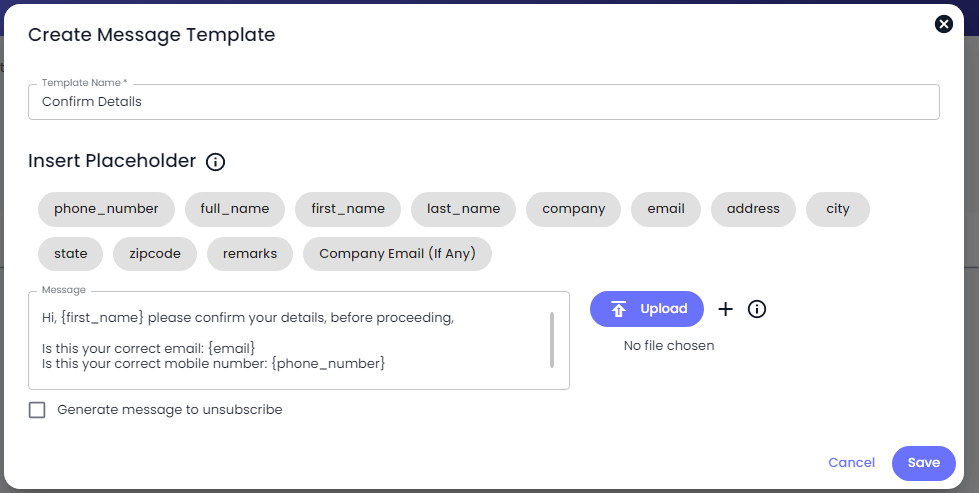
Here, name your template. Insert placeholders to personalise the message. Edit the message or fill the text around placeholders. Use a File, and even provide customers with an option to unsubscribe.

<figure><img src="https://files.gitbook.com/v0/b/gitbook-x-prod.appspot.com/o/spaces%2FhElFPtMZjXYjDDMBT5q2%2Fuploads%2FDBywGPqo6tNSOIM9bTsD%2FSaving%20Message%20Template%20in%20Facebook%20Channel.png?alt=media&#x26;token=de2e3d03-b4f3-42d2-a963-675f65062112" alt=""><figcaption></figcaption></figure>

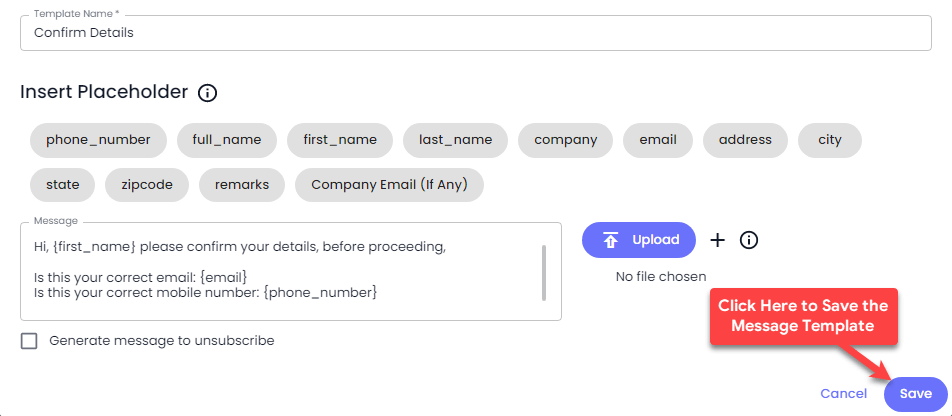
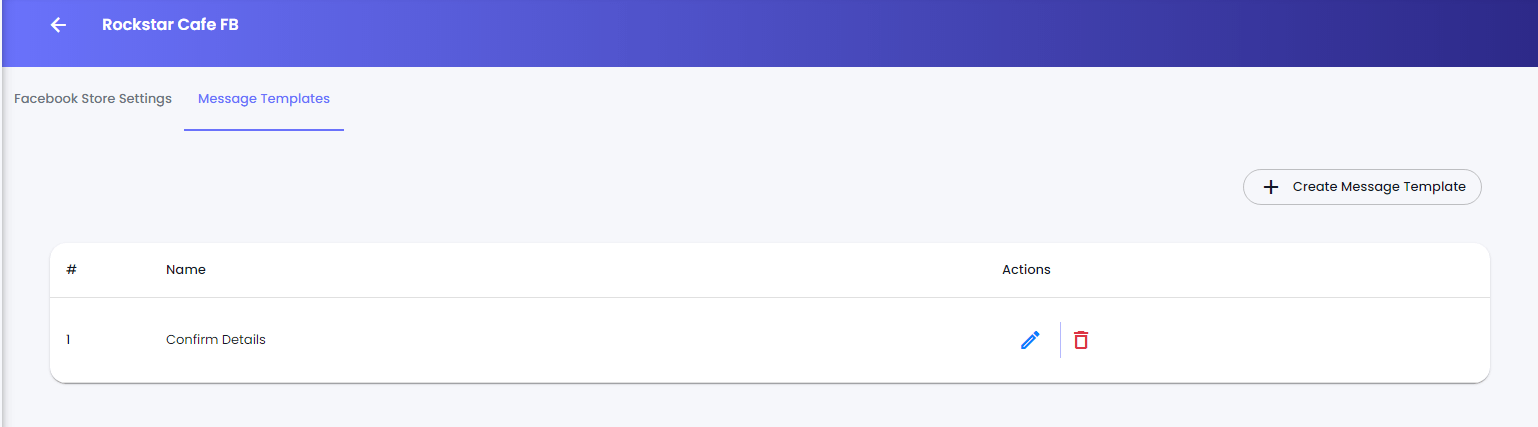
Once done with the template, click Save, and it will be shown to the message templates library.
<figure><img src="https://files.gitbook.com/v0/b/gitbook-x-prod.appspot.com/o/spaces%2FhElFPtMZjXYjDDMBT5q2%2Fuploads%2FRI4LEXR3ifZ5KxVSyvhW%2FMessage%20Templates%20Library%20in%20Facebook%20Channel.png?alt=media&#x26;token=3fc5ebb5-1dd2-4324-980b-2a6c6e679f77" alt=""><figcaption></figcaption></figure>


---

# Agent Instructions: Querying This Documentation

If you need additional information that is not directly available in this page, you can query the documentation dynamically by asking a question.

Perform an HTTP GET request on the current page URL with the `ask` query parameter:

```
GET https://docs.rampwin.com/english/message-templates-1.md?ask=<question>
```

The question should be specific, self-contained, and written in natural language.
The response will contain a direct answer to the question and relevant excerpts and sources from the documentation.

Use this mechanism when the answer is not explicitly present in the current page, you need clarification or additional context, or you want to retrieve related documentation sections.