> For the complete documentation index, see [llms.txt](https://docs.rampwin.com/llms.txt). Markdown versions of documentation pages are available by appending `.md` to page URLs; this page is available as [Markdown](https://docs.rampwin.com/english/search-conversation.md).
# Search Conversation
Find and communicate with contacts from where you left.
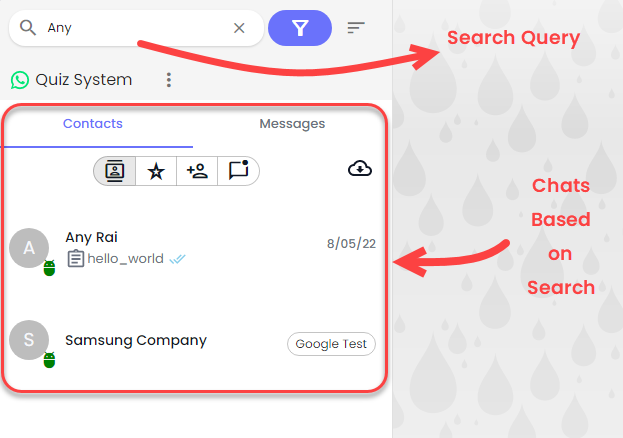
To search a conversation in chat, simply type your contact's phone number, name or message in the search field.
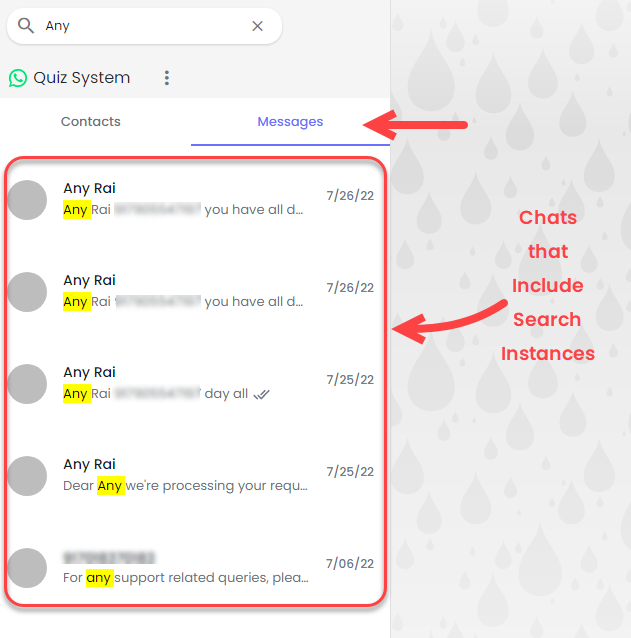
As you'll do that, it will bring the conversation matching the search query. You can also look for a particular message by switching to the Messages tab.
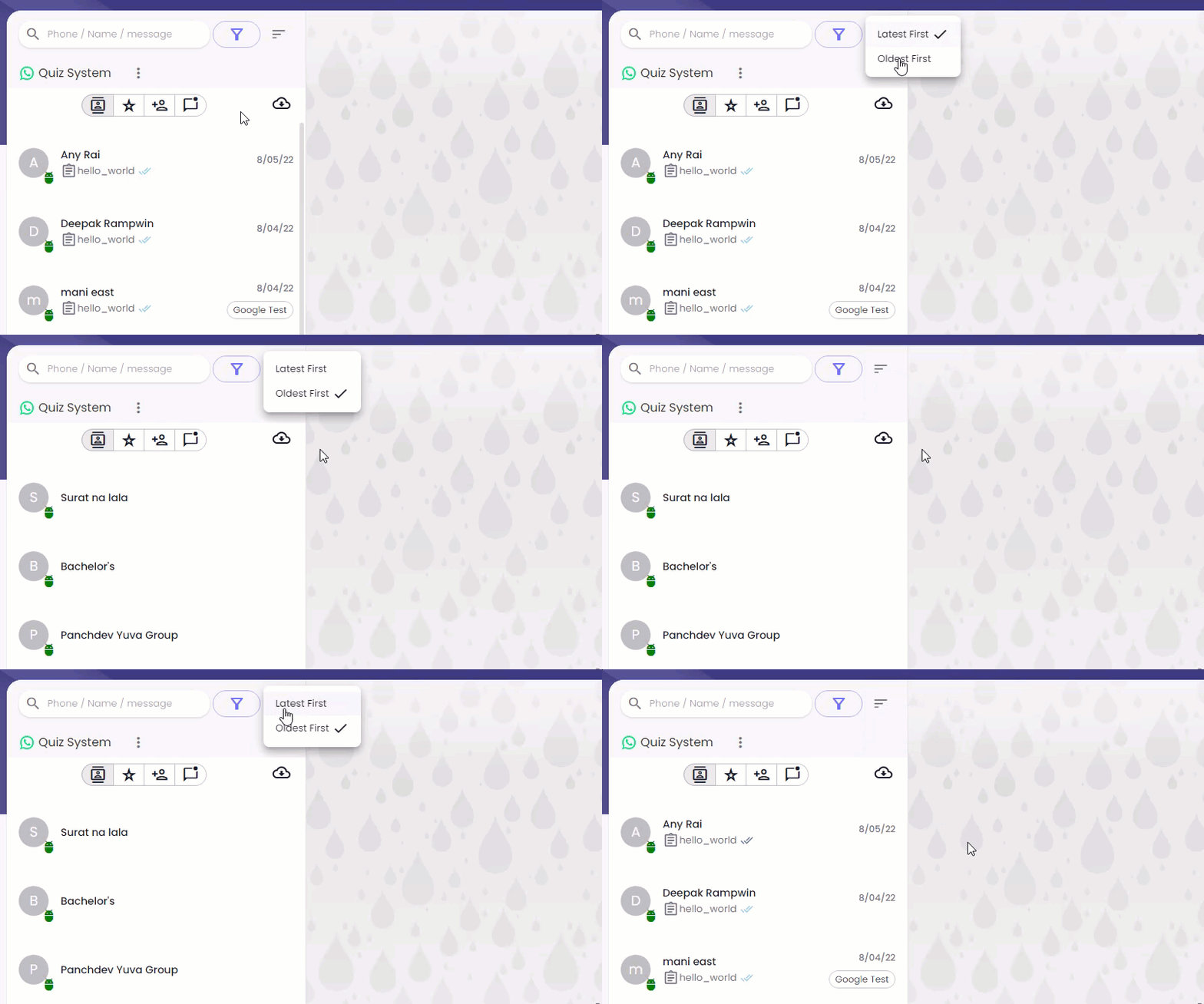
Furthermore, you can also sort conversations in the Latest or Oldest order.
Simply click theSorting button and then select either: **Latest First** or **Oldest First**.
### Chat Search Filters
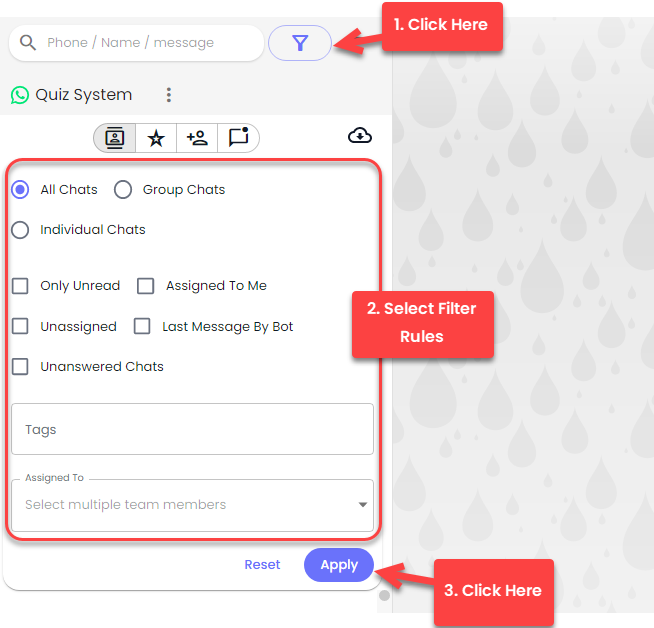
If you want to narrow down the search, you can use the filter options. Simply click the filter button to access filter options.
 Sorting button and then select either: **Latest First** or **Oldest First**.
### Chat Search Filters
If you want to narrow down the search, you can use the filter options. Simply click the
Sorting button and then select either: **Latest First** or **Oldest First**.
### Chat Search Filters
If you want to narrow down the search, you can use the filter options. Simply click the filter button to access filter options.