> For the complete documentation index, see [llms.txt](https://docs.rampwin.com/llms.txt). Markdown versions of documentation pages are available by appending `.md` to page URLs; this page is available as [Markdown](https://docs.rampwin.com/english/setup-woocoomerce-automations.md).
# Setup WooCoomerce Automations
When Your app is configured you can setup automation on Webhook Topics like below.
* COD Order confirmation & Prepaid order notfication
* Track Order
* Abandoned Cart
#### How to setup COD Order Automation.
* Click on Automation.
* Click on Create Automation.
* Give a title, Select Channel & Choose WooCommerce Order Place Event.
* Click on Create.
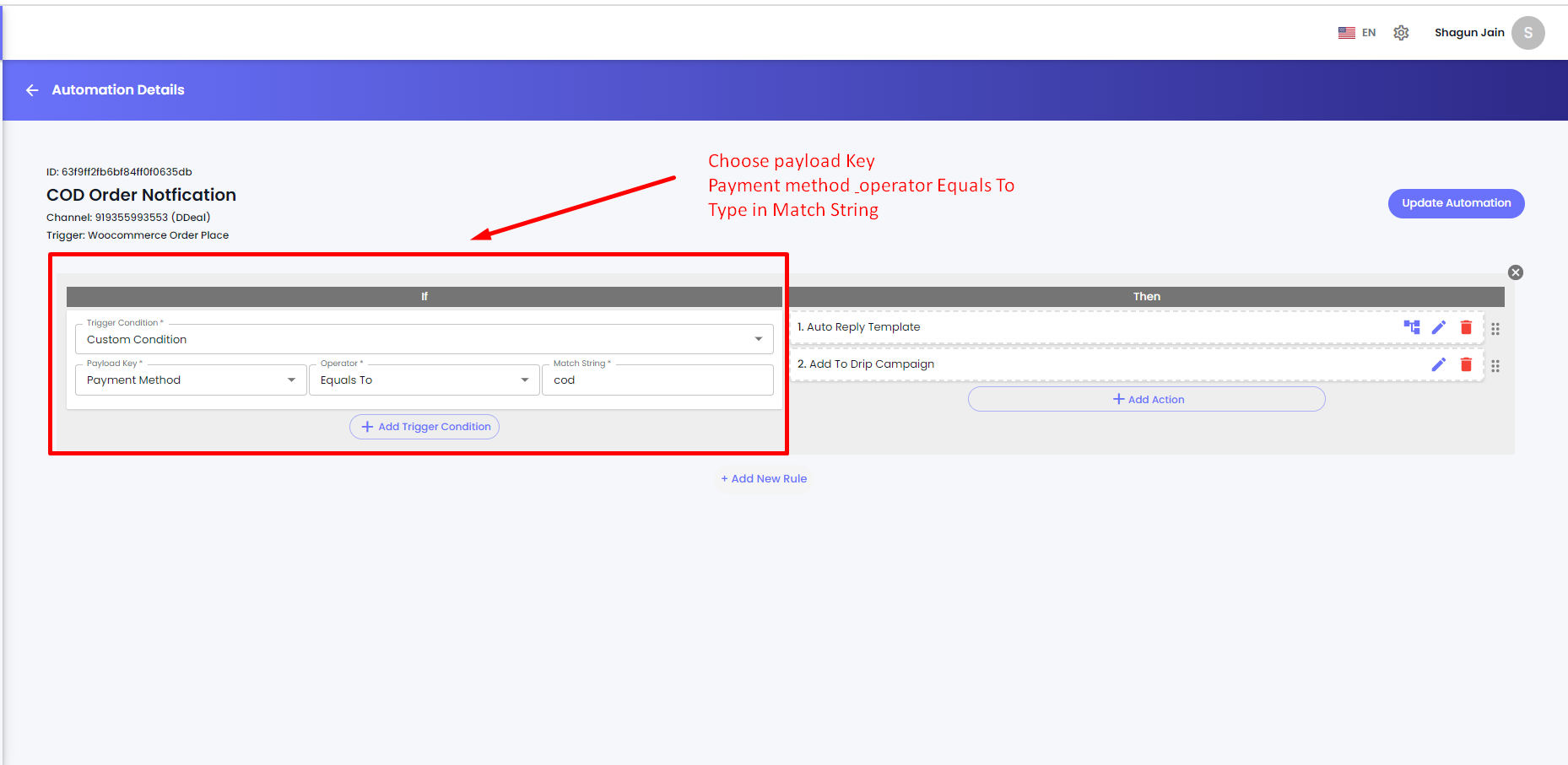
COD Order Confirmation
Choose Custom Condition
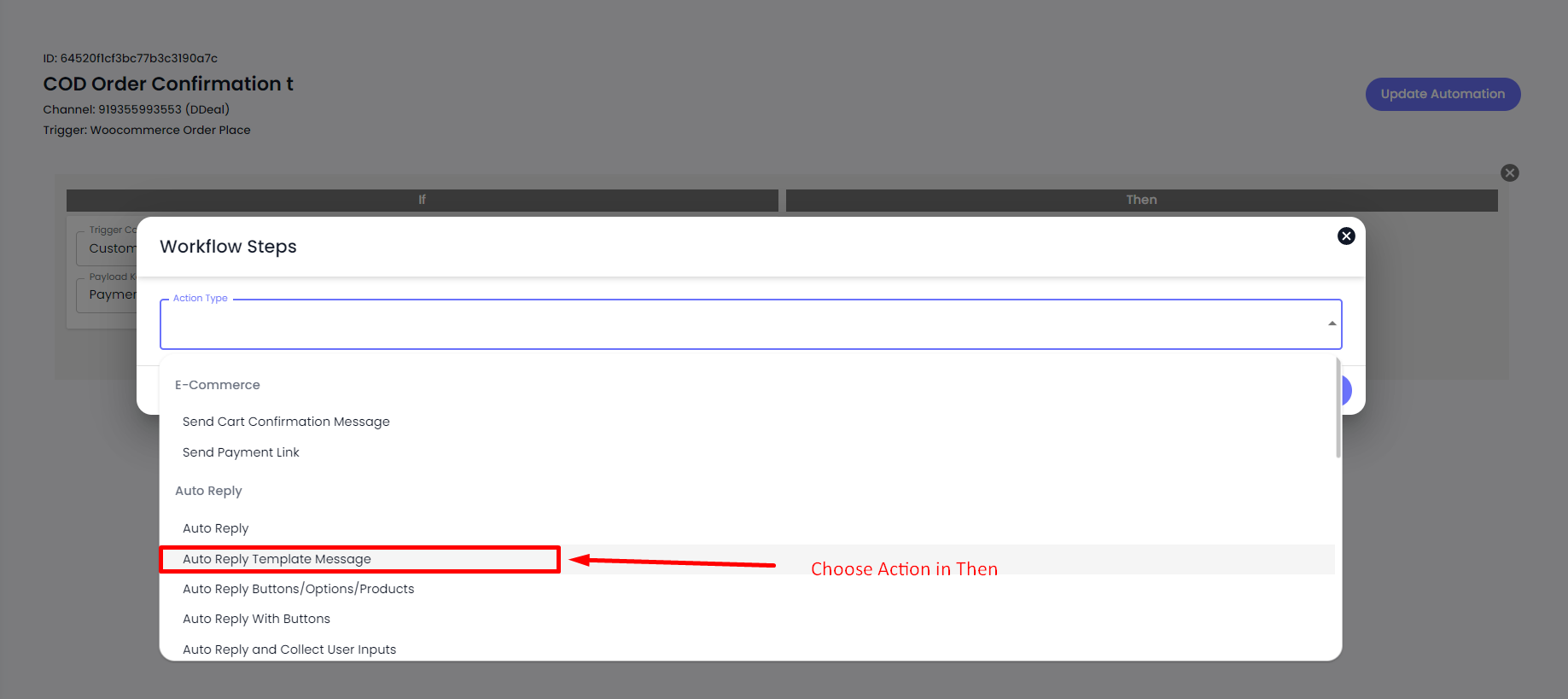
* [ ] Choose Action Auto Reply Template Message.
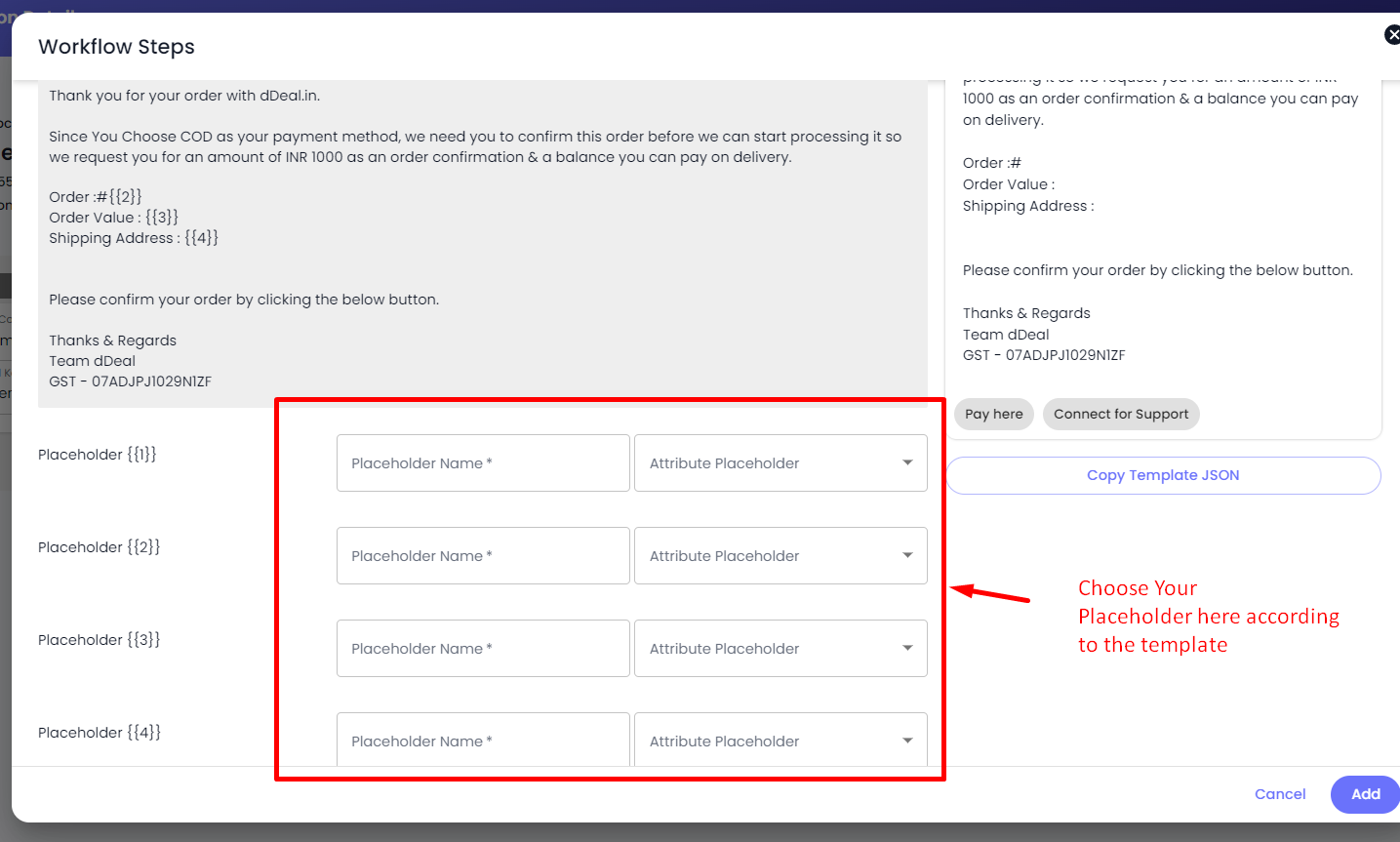
* [ ] Choose your template for COD order confirmation.
* [ ] Choose your placeholders in Template message & Save.
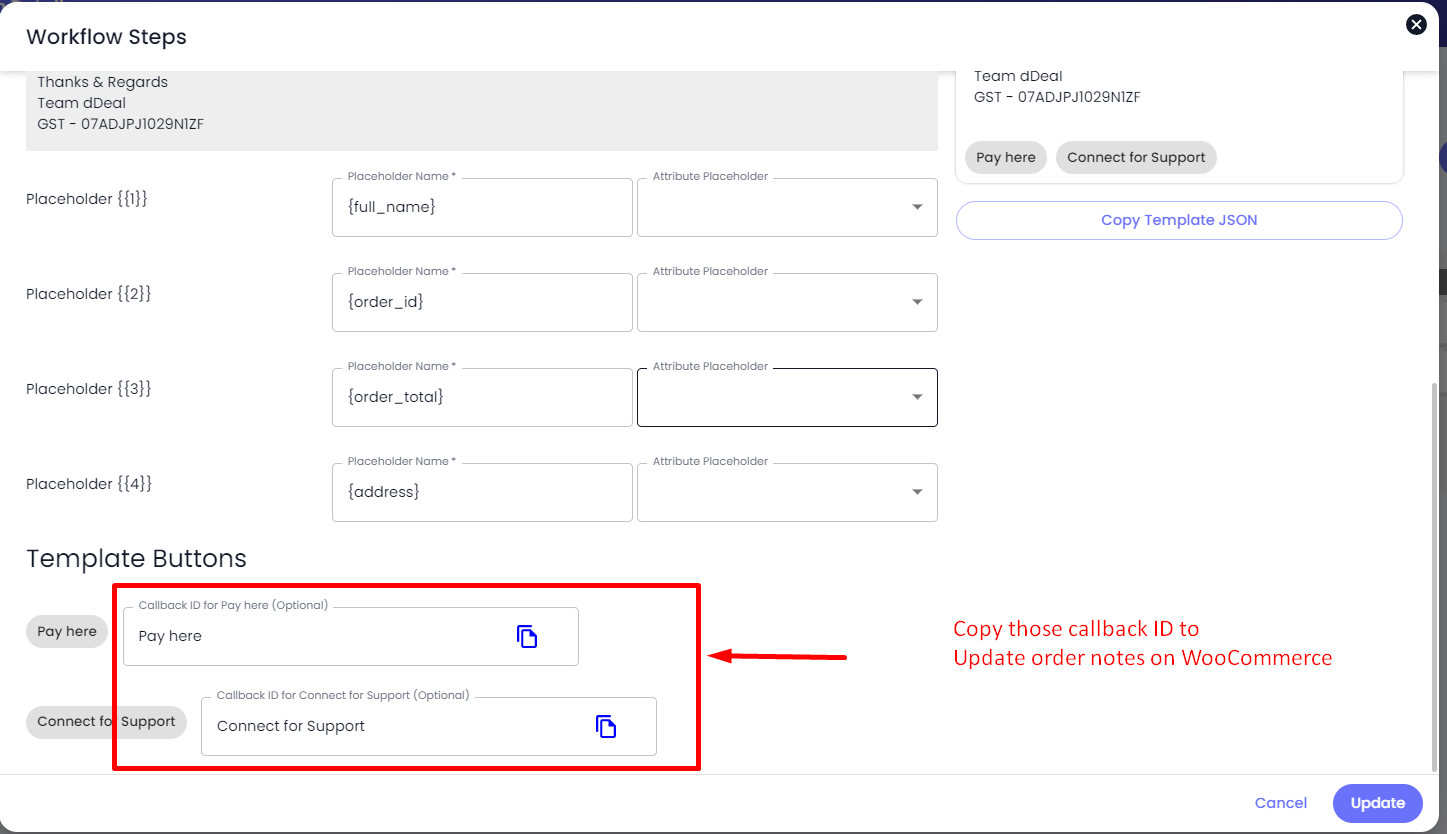
If your template have buttons like Confirm COD Order, Cancel COD order, Connect with Agent then you have to create a separate automation for that.
User below steps to update order notes in your WooCommerce.
* Create a new automation.
* Give name, choose channel & select trigger New incoming message received.
* Click on Create automation button.
* Choose custom condition "List/Button Callback ID Matches" & paste your callback id in the value.