> For the complete documentation index, see [llms.txt](https://docs.rampwin.com/llms.txt). Markdown versions of documentation pages are available by appending `.md` to page URLs; this page is available as [Markdown](https://docs.rampwin.com/english/campaigns.md).
# Campaigns
Broadcast manual or scheduled messages using the Campaigns module.
The **Campaigns** module at Rampwin allows you to send manual or scheduled messages or messages to single or multiple contacts. For this, you can use a simple message or a [pre-approved message template](broken://pages/YEy5TCNc3NUmJ5RKSMiJ) based on the selected [Channel](broken://pages/2FV0sVYuPX6aU60pWzTk).
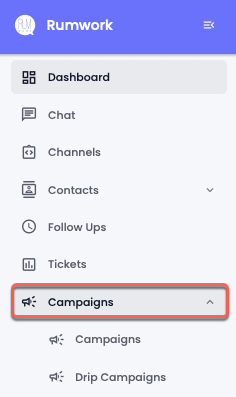
To access the Campaigns, head over to the left sidebar and select **Campaigns**.
Currently, there are 2 types of Campaigns available:
* **Campaigns** - Send a one-time message to single or multiple contacts.
* **Drip Campaigns** - Send multiple messages one after another on a timely basis to a single or multiple customers.
Explore the following pages to learn more about these campaign types.
For WhatsApp Channels like [360dialog](broken://pages/ICaj3MaCaZVFxuyjO8dZ), [Emma](broken://pages/5Zybshi4Ij6lvAkMfxou), and [Cloud API](broken://pages/2gcD3539AyaRgi9CliBI), you can send a simple message or List/Button/Options/Product Messages only when it's within the 24-Hour Window of the last message received from the users or customers.
{% hint style="warning" %}
WhatsApp Business Platform has a Customer Service Window (24-hour) in which businesses can send both simple messages and [pre-approved templates](broken://pages/YEy5TCNc3NUmJ5RKSMiJ). Outside the customer service window, the business would require a message template.
{% endhint %}
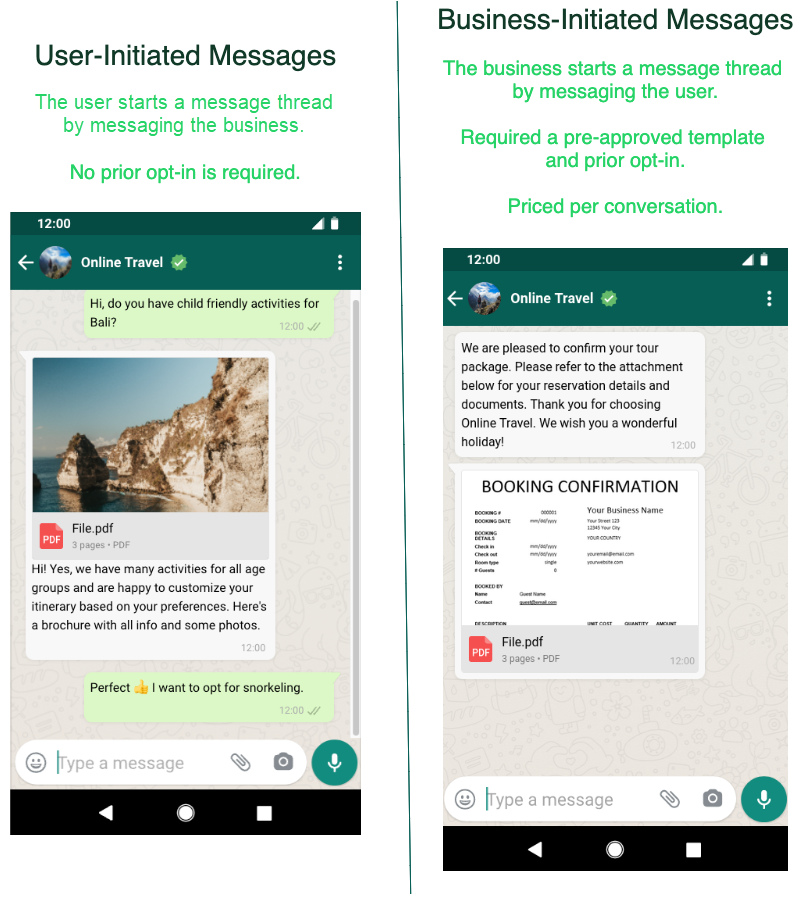
The WhatsApp Business Platform works around two different categories of conversation:
1. **User-initiated** - When the user or customer sends the message to the business. The business can respond to the message with a simple message or message template within 24 hours. Once the window has expired, the business can only respond with a message template which will be counted as a **Business-initiated** conversation.
2. **Business-initiated** - When the business reaches out to the customer outside the 24-hour customer service window, its falls under the Business-initiated conversation. For a business-initiated conversation, a message template is required.
WhatsApp Business Platforms Conversation Types
{% hint style="warning" %}
To send a campaign message under the Business-initiated conversation type, your business platform must obtain user consent (opt-in) to receive notifications, order updates, event updates, etc. The opt-in could be a simple message or subscription from your website showing the user's consent to receive business-initiated messages from your platform.
{% endhint %}