> For the complete documentation index, see [llms.txt](https://docs.rampwin.com/llms.txt). Markdown versions of documentation pages are available by appending `.md` to page URLs; this page is available as [Markdown](https://docs.rampwin.com/english/payment-method-and-subscription/manage-subscription-plans.md).
# Manage Subscription Plans
Upgrade, Downgrade, Change Currency, and Plan's Billing Cycle.
### Overview
Once added a [payment method](broken://pages/dc5fYKMFBMFkeOP1Fbix), using the Billing module, you can subscribe to Rampwin's different plans. Upgrade or downgrade from a plan whenever required. Change billing cycle and more.
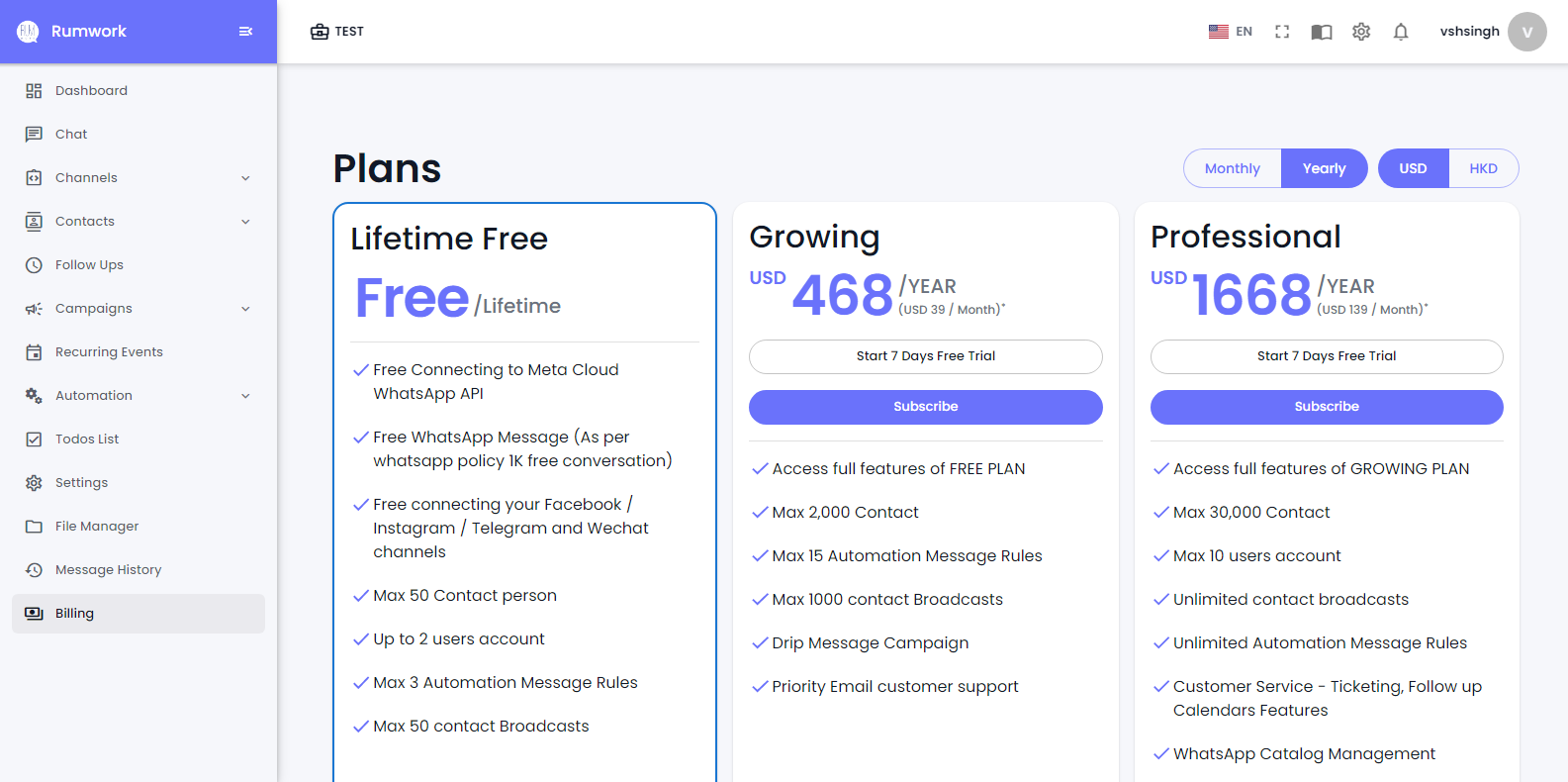
Rampwin Billing Window and Its Options
The following sections will help you utilize the billing at your convenience.
### Available Plans
Currently, Rampwin offers 3 plans, of which one is free, and the other 2 are available under Monthly and Yearly cycles. You can pay using USD or HKD.
* Lifetime Free.
* Growing.
* Professional.
### Subscribing to a Plan
If you're using the Lifetime Free plan currently, then you've got two options:
* Try the free trial of the Growing or Professional plan.
* Or directly subscribe to either Growing or Professional.
To avail the free trial, first, ensure -
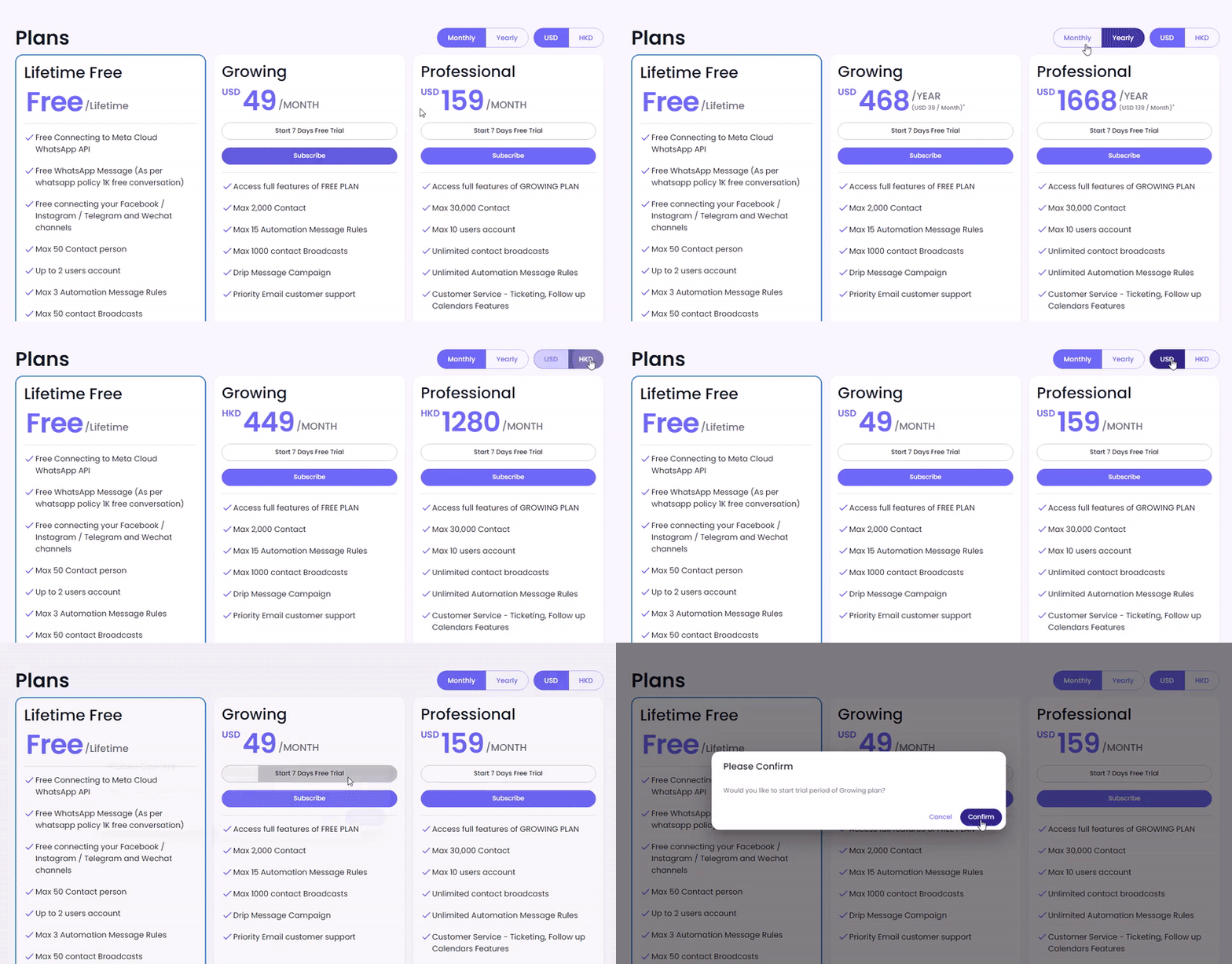
* Billing Cycle: **Monthly** or **Yearly.**
* Currency: **USD** or **HKD, INR**.
After selecting the Billing Cycle and Currency, click ***Start 7 Days Free Trial**.*
Then, click **Confirm*****.*** And you'll be on the free trial. Once the trial end, your account will be downgraded to the Lifetime Free plan.
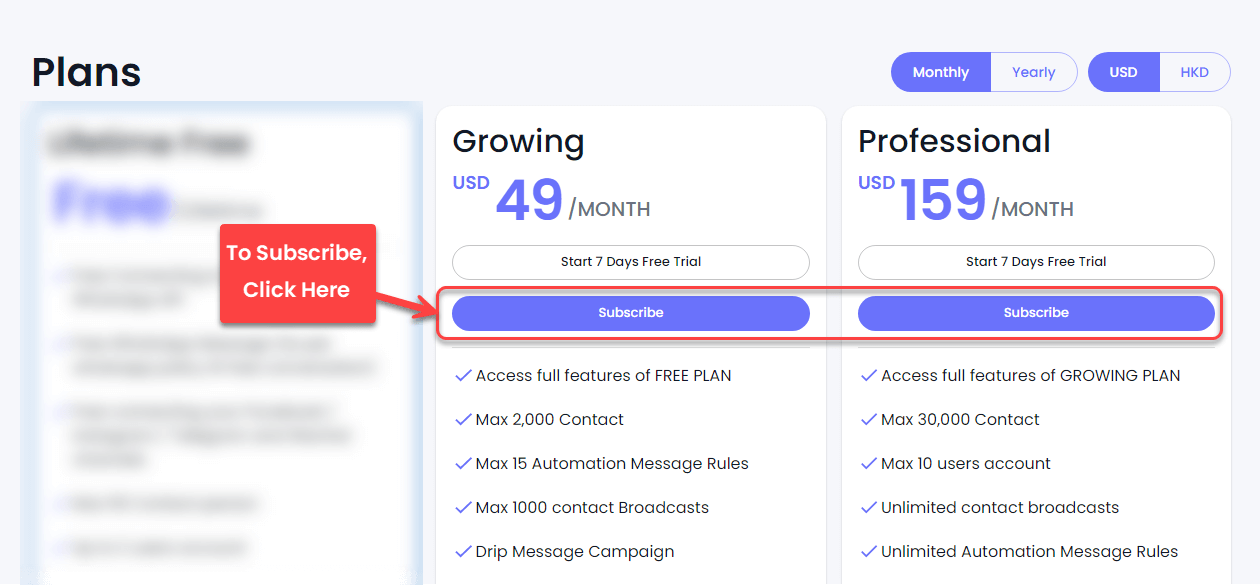
To subscribe, click **Subscribe** for the required plan.
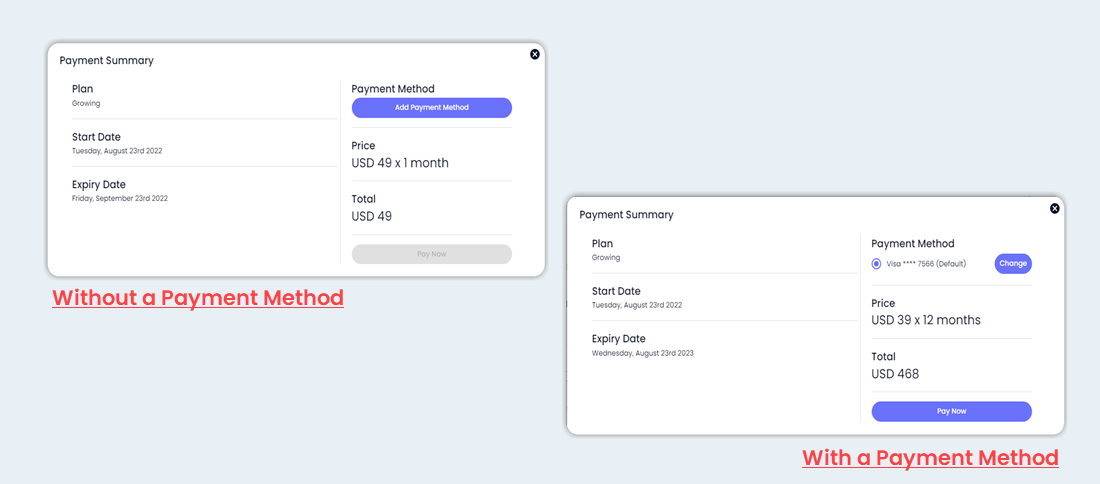
Then, [add a payment method](broken://pages/dc5fYKMFBMFkeOP1Fbix) if not already, otherwise click **Pay Now**.
Click **Change** if you want to pay using a different method.
### Billing FAQs
How secure is the RUM Work platform?
To process your payment, we use Stripe as our payment partner, a certified PCI Service Provider Level 1.
Rampwin never stores your credentials.
What's the refund policy?
Please contact support to learn more about Rampwin's Refund Policy.
Can I cancel anytime?
Yes, you can cancel your Rampwin subscription at any time. Once you cancel, you'll have access to the premium features until the plan ends.
How do I get my payment invoice?
Your payment invoice will be emailed to you via Stripe.
How do I upgrade/downgrade my plan?
Click subscribe for the plan you want to upgrade/downgrade.
How will I be charged when I upgrade/downgrade my plan?
When you upgrade/downgrade your subscription plan, the charge will be prorated based on the used plan's days.
What should I do when I am charged but unable to use the features?
Please contact support.
What happens when a payment method fails?
In case of failed payment attempt, the user account would go into an error state, and the admin will be notified.
My payment was declined. Now what?
Please try to subscribe with another payment method. If the issue persists, please contact support.
How do I change the payment currency on my account?
You can change your currency from USD to HKD. And HDK to USD, INR. Simply click the currency buttons situated above the plans.
How do I change my credit card information?
To change your credit card information, click **Add** button in the Add Payment Method section.