> For the complete documentation index, see [llms.txt](https://docs.rampwin.com/llms.txt). Markdown versions of documentation pages are available by appending `.md` to page URLs; this page is available as [Markdown](https://docs.rampwin.com/automation-workflow/messaging.md).
# Messaging
* **Auto Reply Template Message**: Set up automated responses using predefined templates.
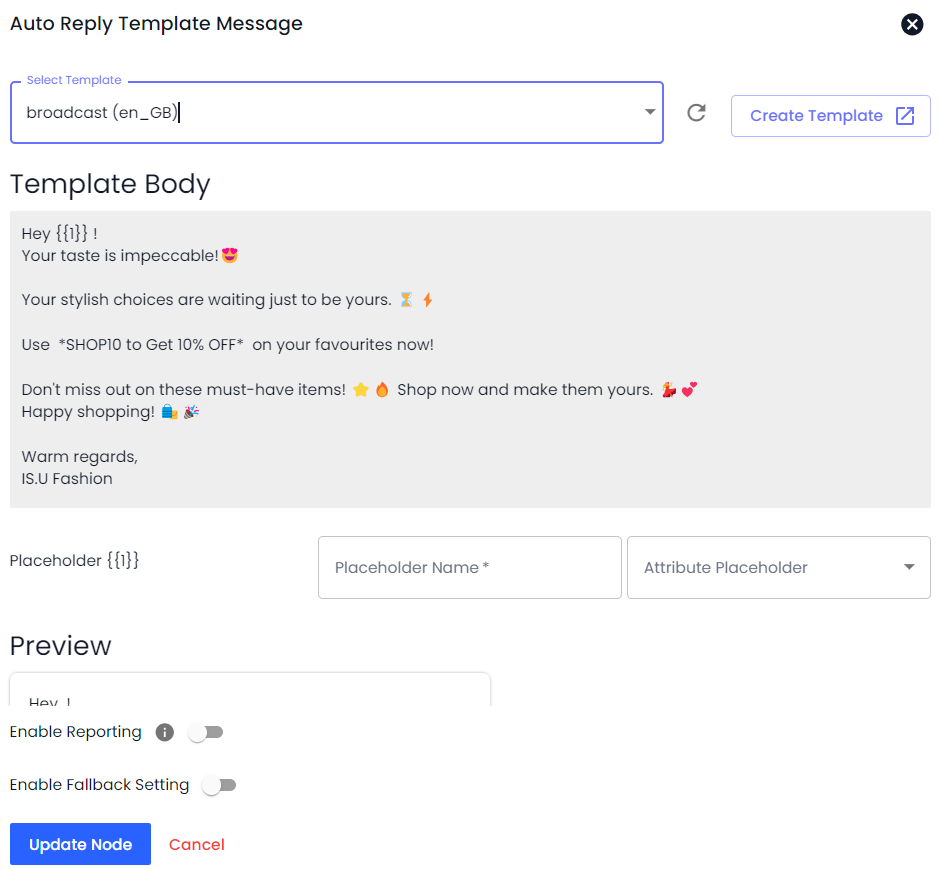
* If you've created a WhatsApp Template Message and want to send it automatically based on Trigger and its Condition, you can use the **Auto Reply Template Message** in the Workflow Step. This Automation only works for WhatsApp Official API Channels:
* Click on the Add Workflow Step **→** then select **Auto Reply Template Message** in the Action Type.
* After selecting the action type, select the template you've created before.
* Then, preview your message template and click **Add**
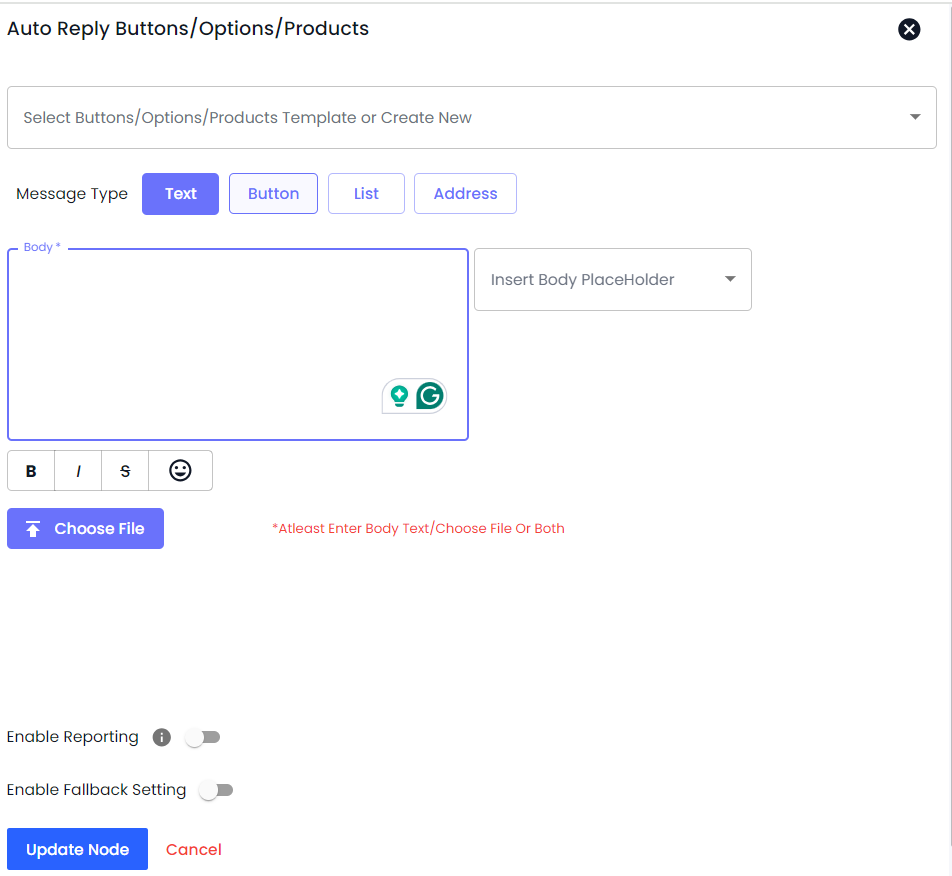
**Auto Reply Button/Option/Products**: Send automated replies that include buttons for options or product selections.
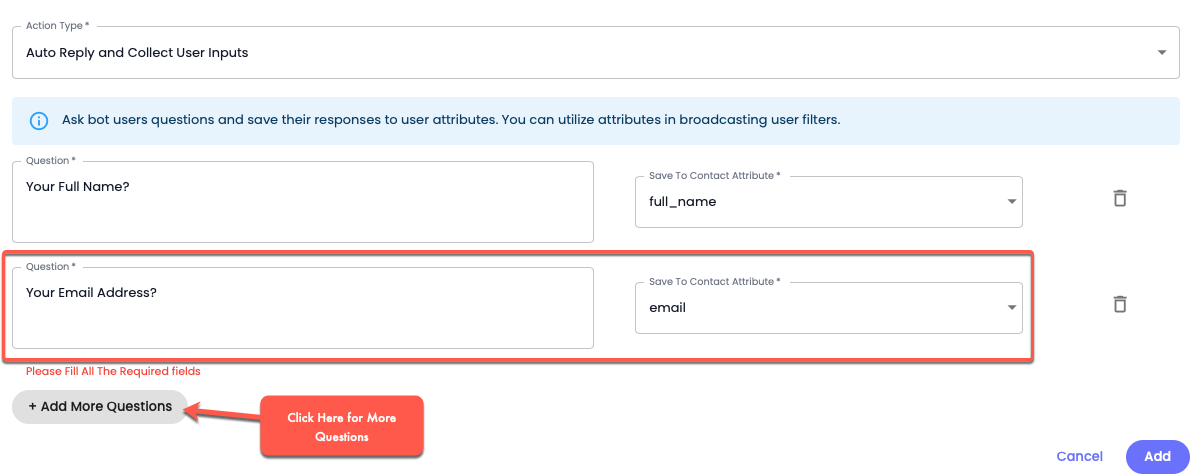
* **Auto Reply and Collect User Inputs**: Automate responses that also collect inputs from the user for further processing.
* If you want to ask users bot questions and want to save their responses in the contact fields, you can use this Workflow Step.
Under this, you've to define a question in the *Question* field, and for the answer, you need to select a contact field from the *Save To Contact Attribute* option.
There are a total of 11 Contact Attributes you can select from to save the answer.